Your heart rate zone, spoken in your ear.
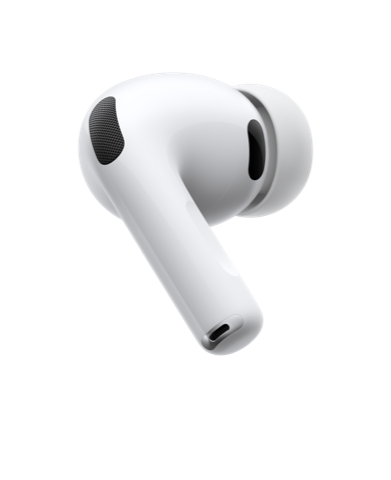
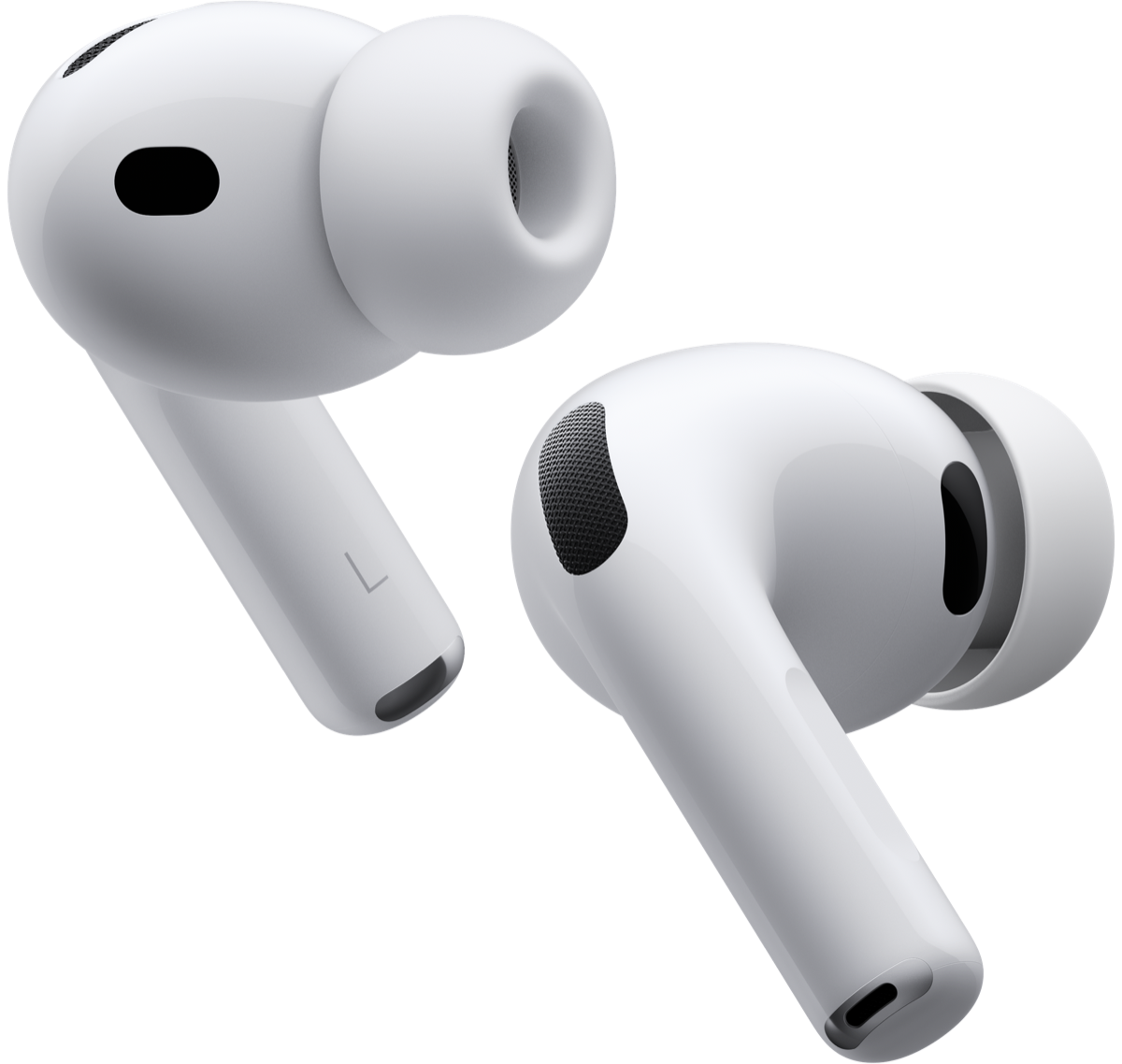
FitZones reads live heart rate from the sensor in AirPods Pro 3 and tells you which training zone you're in, out loud, while you run or walk. Your phone stays in your pocket. Your music keeps playing.
Requires an iPhone on iOS 26 or later and AirPods Pro 3.
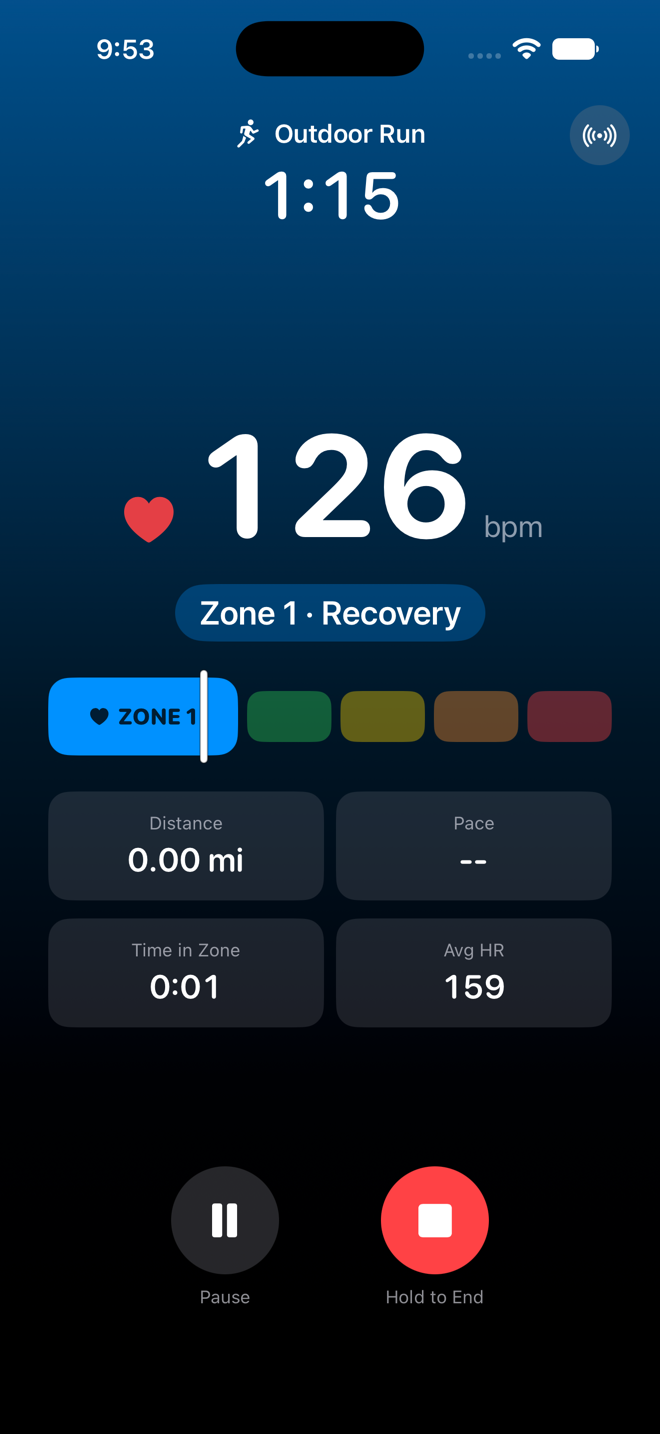
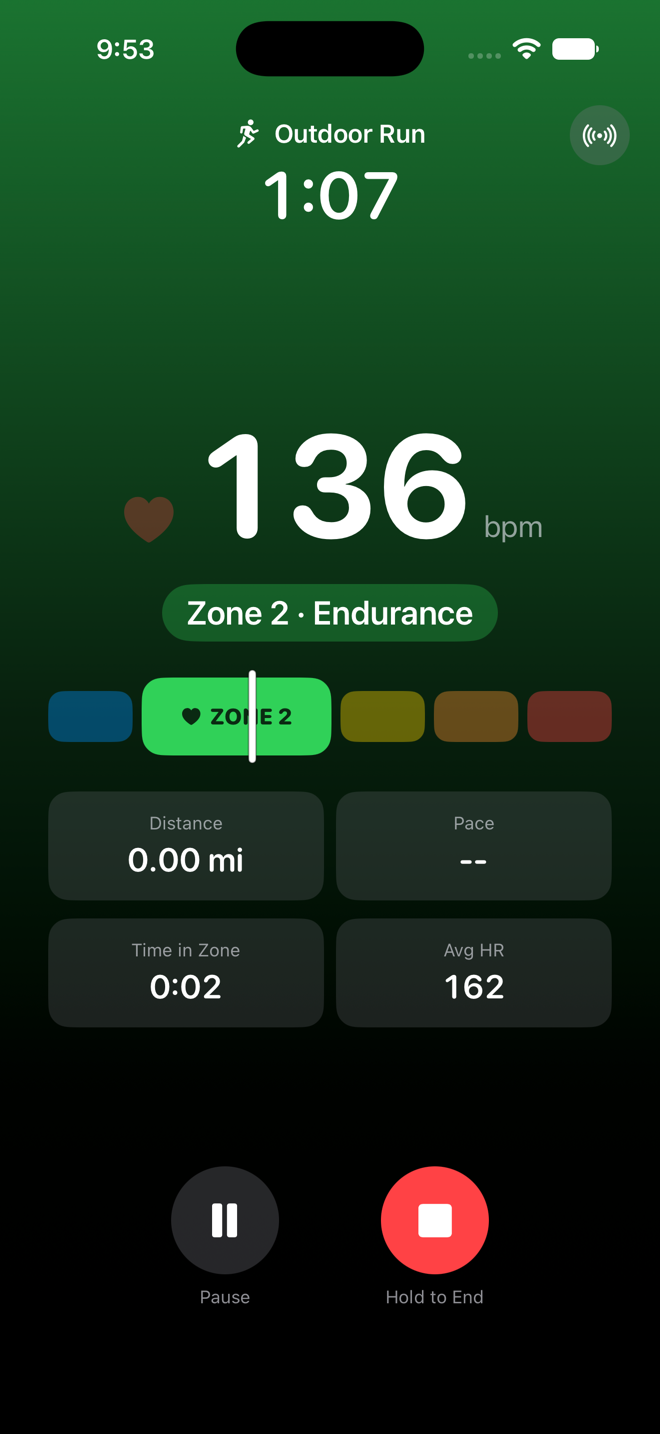
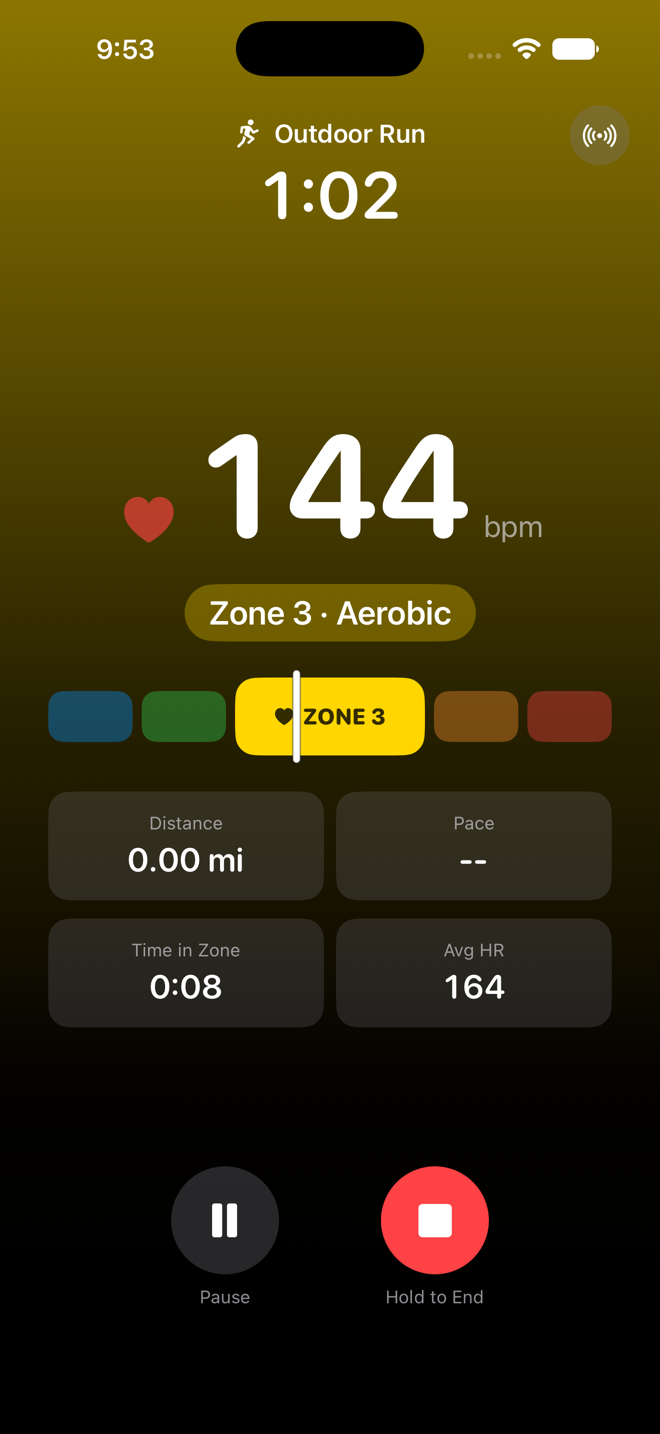
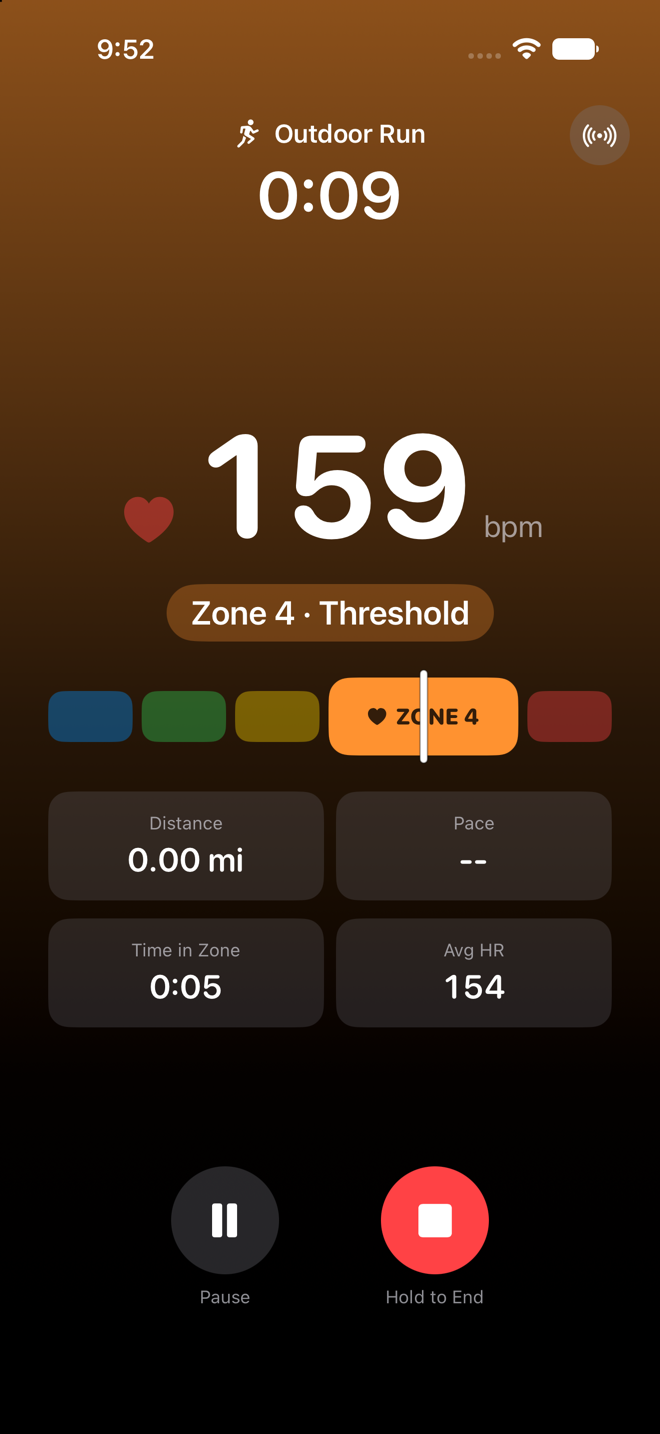
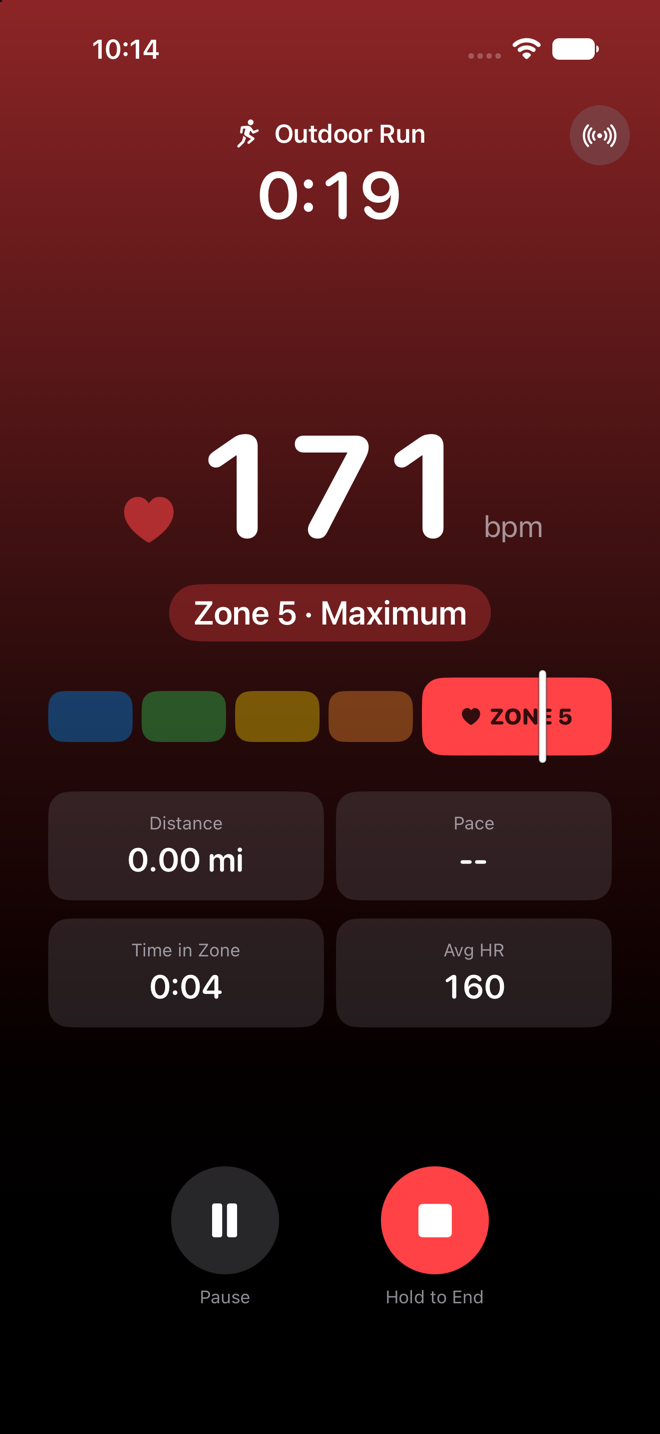
The whole screen wears your zone
Glanceable from three feet away on a treadmill shelf, but designed so you never need to glance at all: every zone change is spoken through your AirPods, over your music.
Zone 2 · Endurance
The base-building zone. The screen turns green, and if your heart rate starts drifting toward zone 3, FitZones says so before you cross the line.
The heart rate monitor is already in your ears
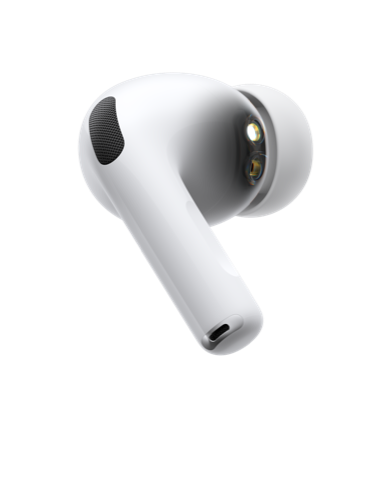
AirPods Pro 3 carry a built-in heart rate sensor, and the ear is a genuinely good place to read from: blood flow is strong, and earbuds sit still at a sprint while a watch shifts and bounces on your wrist.
- Live from the ear. When you start a workout, FitZones opens a real iOS workout session — the signal that tells your AirPods to start streaming heart rate to the app.
- Nothing new to buy or charge. The sensor, the spoken coaching, and your music all ride in the earbuds you already own. Your phone can stay in your pocket the entire run.
- Watch owners are covered too. Wear both if you like — one toggle stops FitZones from double-recording workouts in Apple Health.
Why train by zone at all?
Five zones, from easy to all-out, computed from your personal max and resting heart rate. Effort feels different day to day; heart rate doesn't lie. Two zones matter most:
Zone 2: where the base gets built
Zone 2 is the effort where you could still hold a conversation. It's where your body builds the aerobic engine: more mitochondria, better fat metabolism, a lower heart rate at every pace. Elite endurance athletes do most of their training here, and it's the foundation everything else sits on.
The problem is that zone 2 feels too easy. Without feedback, almost everyone drifts into zone 3 within a few minutes and turns an easy day into a junk-mileage day. FitZones says something the moment you drift, so easy days actually stay easy.
Zones 4–5: where VO₂max grows
VO₂max, how much oxygen your body can use at full effort, is one of the best-studied markers of cardiovascular fitness, and large studies consistently link a higher VO₂max with living longer. Raising it takes short, hard intervals up in zones 4 and 5.
On interval day the guesswork runs the other way: did you actually get up to zone 5, or just feel like you did? FitZones announces the zone when you arrive, so you push exactly hard enough and back off on cue.
How it works
Put in your AirPods
AirPods Pro 3 measure heart rate from your ear. FitZones starts a real workout session on your iPhone, which tells them to begin streaming.
Pick an activity and go
Outdoor or indoor run or walk, or a hike. Outdoor workouts add GPS distance, pace, and a route map.
Just listen
FitZones speaks when your zone changes, warns you as you approach a boundary, and reads out your stats at the interval you choose. Music ducks for a moment, then comes right back.
A closer look
Every workout, remembered
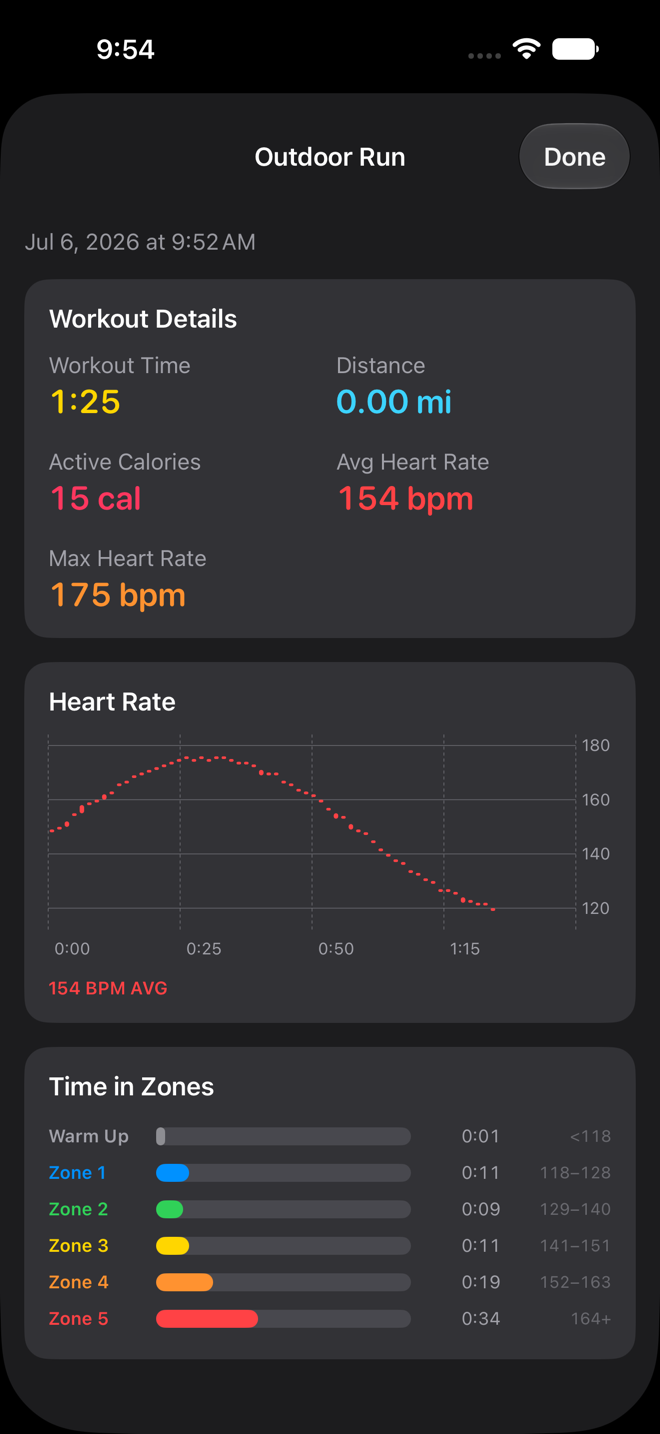
When you're done, FitZones shows the run the way a coach would read it: duration, distance, calories, average and max heart rate, the full heart rate curve, and exactly how long you spent in each zone.
- Zone boundaries are stored with each workout, so old runs stay accurate if your profile changes later.
- Outdoor workouts keep their GPS route map.
- Workouts under a minute are treated as accidental starts and quietly discarded.
You decide how chatty it is
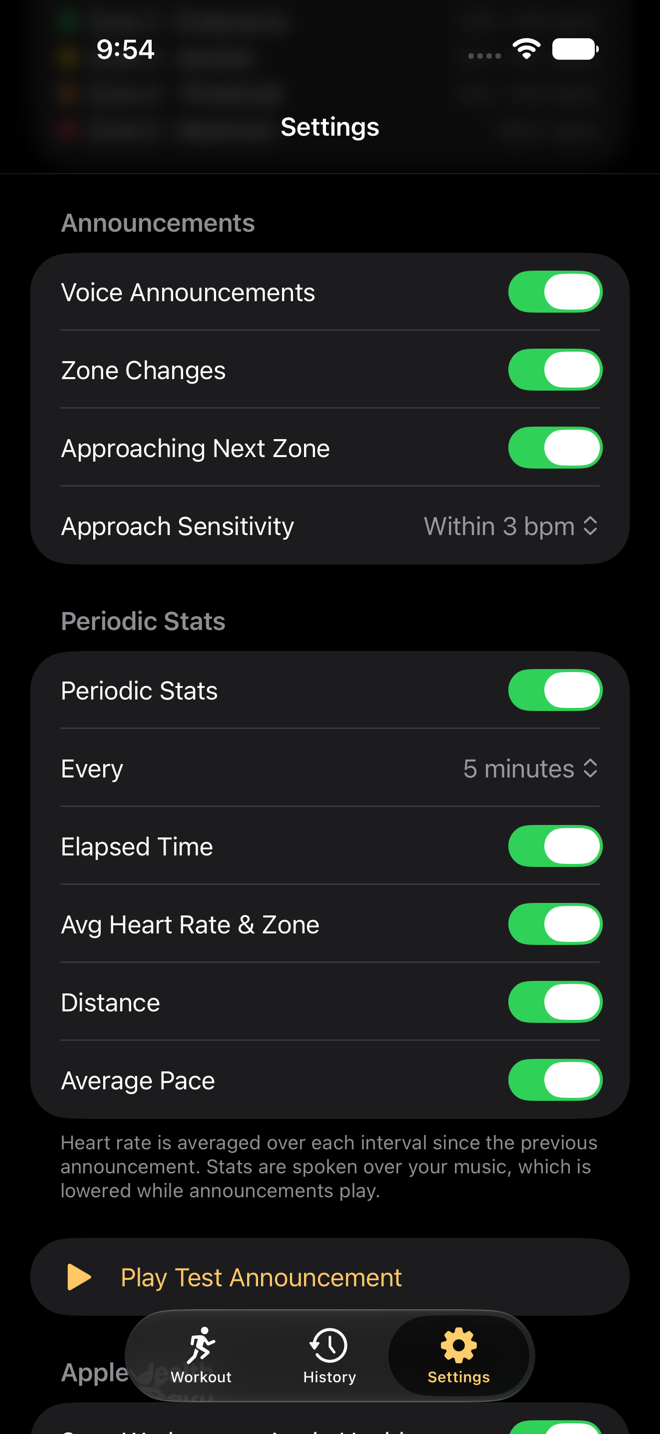
Everything spoken is a toggle. Zone changes, the approaching-zone warning and how close it triggers, and periodic stats where you pick the interval and the exact parts: elapsed time, average heart rate and zone, distance, pace.
There's even a test announcement button, so you can hear how it sounds before you're a mile from home.
Zones that actually fit you
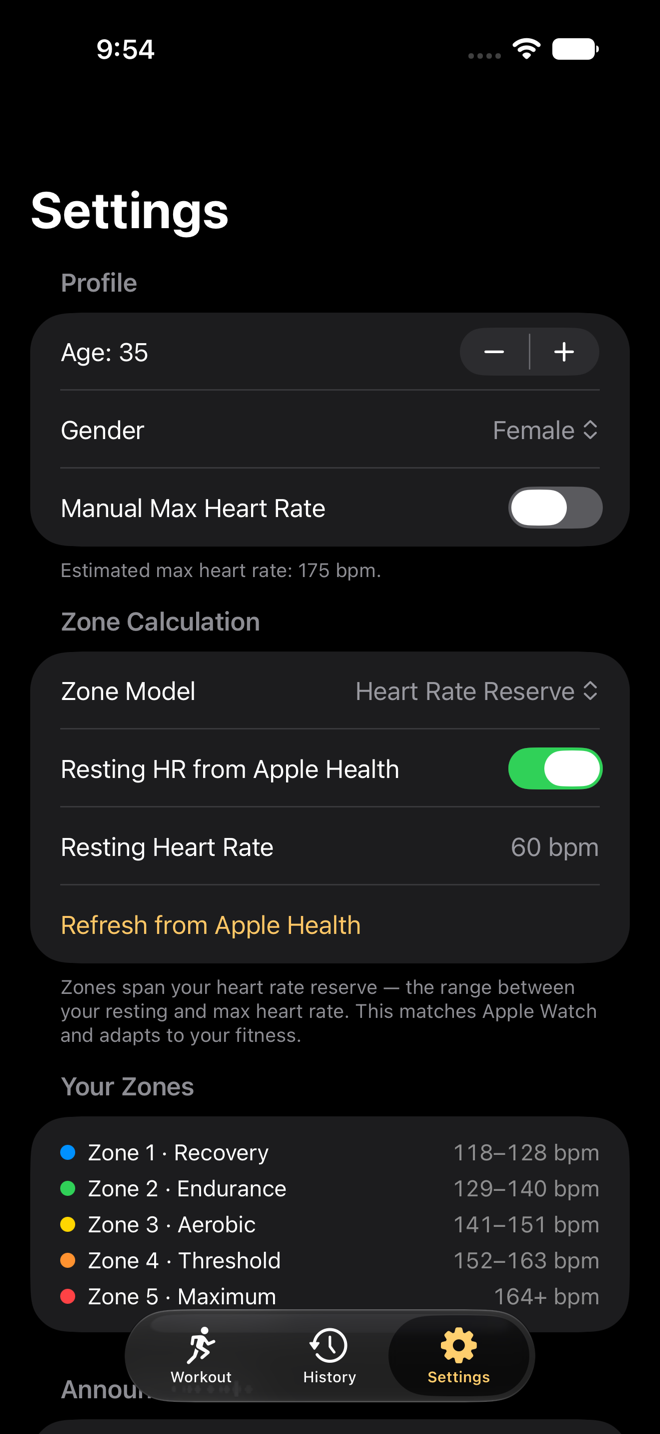
Pick Heart Rate Reserve (the Karvonen method — the same one Apple Watch uses) or a flat percent of max. Max heart rate is estimated from your age and sex with the Tanaka or Gulati formula, or set it manually if you know your real number.
Resting heart rate syncs from Apple Health with one tap, so your zones adapt as your fitness improves.
Built for runners, not for chatter
Voice guidance is only useful if it isn't annoying. Most of the engineering in FitZones went into knowing when not to speak.
No boundary nagging
A new zone has to hold for several seconds before it's announced, with hysteresis on top. Hovering at a boundary won't trigger a "zone 3, zone 2, zone 3" loop in your ear.
Plays nice with music
Announcements duck your audio and release it as soon as they finish. Podcasts, playlists, and audiobooks carry on uninterrupted.
Runs in the background
Lock your phone, switch apps, keep your music going. Announcements and tracking continue for the whole workout.
Five activities
Outdoor and indoor runs and walks, plus hikes. Outdoor workouts get GPS distance, pace, and a route map; indoor ones focus on heart rate.
Apple Health, your call
Workouts save to Apple Health with route and calories. Already recording on a Watch? Flip one toggle and FitZones keeps its own history without double-counting.
Nothing to sign up for
No account, no subscription, no ads, no analytics. Your workout data lives on your iPhone and in Apple Health, nowhere else.
Have a look around
Free, and staying that way
FitZones has no ads, no subscription, and collects nothing. It exists because I wanted it for my own runs. If it earns a place in yours, you can leave a tip.